HubSpot · Pipedrive · Zoho · integrations for your process

CRM integration for your sales team

All leads, calls and messages in one place. Your team never forgets to call back, and you see which ads bring sales. I'll set up the CRM for your process and connect it to any service.

Common problems

Why a business
loses customers without a CRM

01

Leads are scattered and get lost

Lead in a rep's WhatsApp

Weekend call: nobody called back

Everyone has their own Excel sheet

Everything in one CRM

What I doCalls, website forms and messengers land in one CRM automatically. Every lead is a deal with a source and an owner.

02

Reps forget to call back

Form leads
Reached a conversation
qualification in the form and chatbot

What I doAutomations create tasks, send reminders and move deals through stages. The manager sees who didn't do what.

03

Unclear which ads pay off

AdsLeadDealRevenue

What I doI pass UTM tags and the GA4 client ID to the CRM and send sales data back to GA4 and Google Ads. Revenue by channel is visible.

Why you need a CRM

What will change in your business

A CRM isn't a contact spreadsheet but the system your sales team works in. Here's what changes after it's set up.

Without a CRMWith a CRM
  1. Leads in e-mail, messengers and reps' notebooks

    All inquiries in one place, none get lost

  2. A rep leaves and takes the customers along

    Communication history, calls and contracts stay with the company

  3. You learn about missed follow-ups from unhappy customers

    Automations create tasks and reminders; overdue items are visible right away

  4. Proposals and contracts are put together by hand

    Documents generated from a deal template in one click

  5. Unclear what brings money

    Sales visible by every ad channel and sales rep

  6. Repeat sales happen by chance

    Reminders and e-mails bring customers back

Features

What a CRM can do
after setup

I set up only what your sales team needs, without feature overload.

Sales pipeline

Deal stages for your process: you see how much money is at each stage and where customers get stuck.

New leadTask for the rep · 15 minSMS to the customer

Workflows and automation

Tasks, reminders, stage changes and customer messages, without manual work.

2
1
3

Messengers in one place

WhatsApp, Telegram, Facebook Messenger and Instagram: conversations right in the customer record.

call back

Telephony and call recording

Calls create deals, recordings are stored in the CRM, missed calls become tasks.

+34%conversion to deal

Reports and analytics

Conversion by stage, revenue by rep and ad channel, in clear reports.

Name
+7 (900) ••• •• ••

Leads from the website and ads

Forms, quizzes and lead forms from Google and Meta go straight into deals with their source and UTM tags.

How implementation goes

From process audit
to a working CRM

  1. 1AuditHow sales work now
  2. 2ProjectPipelines, fields, roles
  3. 3SetupDeals, tasks, automations
  4. 4IntegrationsWebsite, telephony, messengers
  5. 5TrainingSales team and manager
  6. 6Ongoing supportImprovements along the way
  • Process diagramagreed before setup
  • First deals in the CRMthe team works in the system
Which CRM to choose

HubSpot, Pipedrive or Zoho

I work with all three. The choice depends on team size and what you need beyond sales.

HubSpot

CRM + marketing, tasks and documents

  • Deals, tasks, projects and team chat in one system
  • Sync with your ERP and online store
  • Workflows, documents and approvals
  • Flexible access rights for teams

Suits you ifyou need one system for the whole company, not just sales.

Zoho CRM

A simple CRM for a sales team

  • Quick to set up and easy for your team to learn
  • Convenient work with messengers and chatbots
  • A visual pipeline and automations
  • Lots of ready integrations in the marketplace

Suits you ifyou need a fast, simple CRM just for sales.

Non-standard tasks

No ready integration? We'll build our own

With my developers we can implement almost any workflow: connect the CRM to your services via API, build middleware and automate routine.

  • Telephony and end-to-end analyticsUTM tags and the GA4 client ID passed from the call to the deal
  • ERP syncproducts, prices, invoices and payments, both ways
  • Offline conversions to Google AdsCRM sales go back to ads to train bidding strategies
  • Bots and notificationsnew deals and reports go to the manager's messenger
  • Documents from templatesProposal, invoice and contract from the deal record

A real example

  1. Google forwarding numbers
  2. Cloud PBX
  3. Middleware + queue
  4. HubSpot

Every call goes to the CRM with UTM tags and the GA4 client ID: you see which ad led to the sale

Integrations

We'll connect the services
you already use

The CRM works together with your ads, website, phone system, accounting and messengers.

Ads and analytics

  • Google Ads
  • Google Analytics 4
  • Meta Ads
  • Google Business Profile
  • CallRail

Messengers and social media

  • Telegram
  • WhatsApp
  • Instagram
  • Messenger

Telephony

  • Ruler Analytics
  • Aircall
  • Twilio
  • RingCentral

Websites and forms

  • Shopify
  • WordPress
  • WooCommerce
  • Quizzes and lead forms

Accounting, payments, delivery

  • QuickBooks
  • Stripe
  • DHL
  • PayPal
  • Xero

Automation

  • Google Sheets
  • n8n
  • Make
  • Zapier
  • Gmail

These are popular services. HubSpot, Pipedrive and Zoho marketplaces have thousands of ready integrations, and there's an API for the rest.

Pricing

Transparent scope of work

The CRM subscription (HubSpot, Pipedrive or Zoho plan) is paid separately; I'll help you pick the right one.

Start

from $400

one-time

A CRM for a small sales team.

  • A sales pipeline for your process
  • Website and form leads become deals
  • Phone system integration
  • Basic automations and tasks
  • Guide for the sales team

Business

from $1,000

one-time

Full implementation with automations.

  • Everything in “Start”
  • Several pipelines and access roles
  • Messengers in the CRM
  • End-to-end analytics: UTM and client ID
  • Team training

For the task

on quote

after the audit

Custom integrations and workflows.

  • API integrations
  • Middleware
  • ERP sync
  • Workflows and documents
  • Support after launch
How I work

Transparent
at every stage

Answers to questions people usually ask before starting. If something is missing, ask on the call.

  • What do I get and what am I paying for?

    Scope, timeline and price are fixed in the contract before we start. Prices in US dollars; payment against an invoice.

  • Will the website be mine?

    Yes. The domain, hosting and access are registered to you. No “website rental” and no lock-in to a contractor.

  • Who writes the copy?

    I prepare the structure and copy from the brief and competitor analysis. From you: 30 minutes for the brief and photos, if you have them.

  • Can I see the website before launch?

    Yes: first we agree on the prototype, then the design, then a test version you can open on your phone.

  • Who will I be talking to?

    With me personally, no account managers. The designer, front-end developer and developer work with me, and I coordinate between them.

  • What happens after launch?

    We look at the first leads and fix what gets in the way. Then, if you wish: support, ads or SEO.

CRM + ads

CRM connected
with ads

Projects where ads are connected to the CRM and sales are visible, not just leads.

All case studies
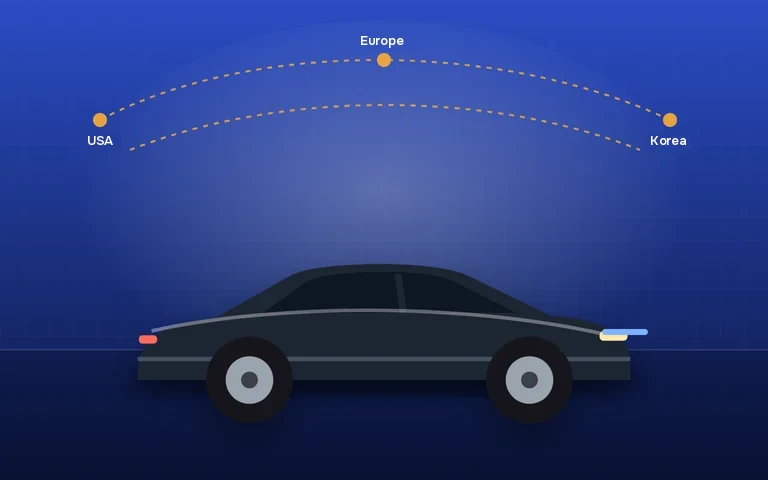
Car imports

Google Ads

Top Dealrs

6,776

leads in a year

$12.3 per lead
Online store (WooCommerce, Shopify)

Google Ads

Tikhiy Vystrel store

1,065

conversions

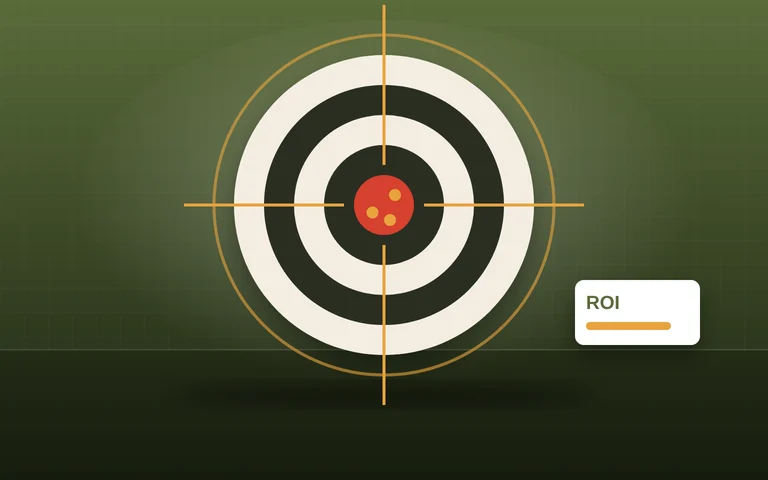
up to 2,255% ROI
Igor Pavlyshen
#11 in the 2020 Runet Ratingmy studio New Way
Who runs the project

I run your project personally — 8 years in paid search

I started out when there were hardly any courses or “gurus”: I tested everything on real projects with real budgets. I've worked with automotive, construction, online education, e-commerce and service businesses — and everywhere I saw that advertising only works when there's a system behind it.

  1. 01

    Results come from a system, not ads alone

    Product, website, content, reviews and the sales team have to work together — otherwise even good ads burn the budget.

  2. 02

    Customers are alike across industries

    They care about price, timing, guarantees and trust. That's why experience from automotive, construction and e-commerce carries over to your business.

  3. 03

    Success is built by a team

    A developer, designer, copywriter and SEO specialist — we've worked together for over 4 years. I manage every project personally.

198+businesses have trusted me with their advertising
57case studies: ads with real account numbers, and websites
0legal disputes with clients in 8 years
4+years with the same team

Google Ads certificates — click to open

More about me
The next case study could be yours

Let's estimate how many leads your ads can bring

  1. 01I review your account, website and analytics before the call
  2. 02On a 30-minute call I show where leads and money are lost
  3. 03I give a realistic cost per lead for your industry, with examples from case studies

Igor PavlyshenI run projects personally, without managers

Free advertising audit

30 minutes · no strings attached

or message me on Telegram

Questions

FAQ

How much does CRM integration cost?

From $400 for a basic setup and from $1,000 for a full implementation with automations and training. Custom integrations are quoted after an audit. The CRM subscription is paid separately.

How long does implementation take?

Basic setup from a week, full implementation 2–4 weeks. Complex integrations depend on the task; timelines are fixed in the contract.

Which to choose: HubSpot, Pipedrive or Zoho?

Pipedrive if you need a simple, fast CRM for a sales team. HubSpot if you want one system for marketing, sales and service. Zoho for the most features per dollar. I'll help you choose on a free call.

Do you have certifications?

I'm a certified Google Ads specialist (Search, Display, Video, Measurement); the certificates are on this page. For each CRM I follow the vendor's documentation and best practices.

Can the CRM be connected to software that isn't in the integrations list?

Usually yes. If the service has an API or export, we'll build a custom integration or middleware. We'll discuss the task and tell you what's possible and what it costs.

Will you migrate data from Excel or an old CRM?

Yes. We migrate contacts, deals and history from spreadsheets and other CRMs, with duplicate checks.

Will you train the team to use the CRM?

Yes. We train the sales team and the manager and leave written guides. I help with questions in the first weeks.

Will I see which ads bring sales?

Yes. We pass UTM tags and the GA4 client ID into deals, and send sales back to GA4 and Google Ads. The report shows revenue by channel.

1Format 2Contacts

Free advertising audit

I'll identify the weak spots in your marketing — free, no strings attached.

What we'll review

  • Ad channels
  • Website and landing pages
  • Social media
  • Business listings on maps and review sites
Choose a format

What you get

I'll analyze your ads, lead handling and landing pages, and we'll draw up a short action plan. No pie-in-the-sky promises — just a transparent forecast. You keep the call recording.

Igor PavlyshenI reply within an hour during business hours

Ready to discuss your project?

Leave a request — I'll get in touch and we'll find a convenient time to talk.

or message me directly

Igor PavlyshenI reply within an hour during business hours

Let's build a website that sells

The cost depends on complexity. Rather than quote a number out of thin air, let's have a call.

or message me directly